
Let customers book appointments right in your Instagram DMs
When someone asks to book, Tawlki offers the times that are free in your Google Calendar. They pick one, and the booking lands in your calendar with an invite sent to their email.
Free to start. No card. See the free plan
- can I get a haircut tomorrow afternoon?
- Tomorrow I have 2:00 pm and 4:30 pm. Which works for you?
- 4:30 please
- Great. What email should I send the calendar invite to?
- sam.lee@gmail.com
- Booked: haircut tomorrow at 4:30 pm. The invite is on its way to your Gmail.
- Invitation from Studio Mira: Haircut, tomorrow 4:30 to 5:00 pm
Booking takes ten messages, and half the people give up.
Are you free Tuesday? What about Wednesday? Every back and forth is a customer who might book somewhere else. Tawlki answers in seconds, at any hour, and finishes the booking in the same chat.
What it does
Only free times are offered
Customers choose from times that are really open in your Google Calendar.
Booked in the chat
No links to click and no forms to fill. The booking is confirmed in the same conversation.
An invite on their phone
Customers get a Google Calendar invitation for the appointment.
Never double booked
Two people never end up with the same slot.
Everything in one place
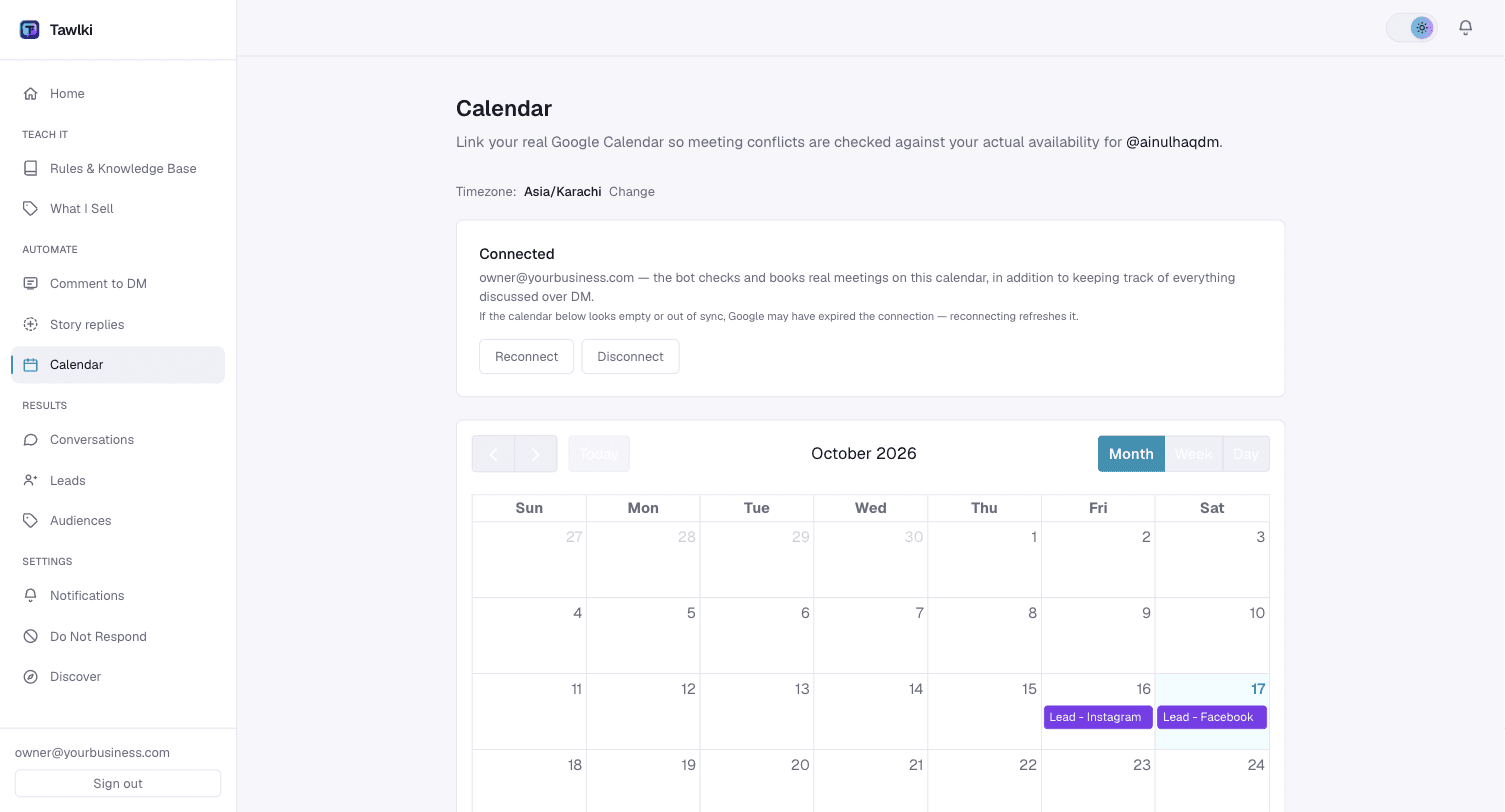
Every booking shows in your dashboard calendar next to the conversation it came from.
Changes are easy
A customer who needs a different time just messages again and the booking moves.
Who books this way
Salons and barbers
Clients grab a slot from the chat instead of waiting for you to finish with the person in your chair.
Clinics and consultants
New enquiries become confirmed appointments overnight, without a receptionist.
Coaches and trainers
Every interested follower can book a call the moment they ask.
Studios and classes
Trial sessions fill up from your DMs and comments.
How to set it up
- Step 1
Link your Google Calendar.
- Step 2
Switch Tawlki on for your Instagram.
- Step 3
Customers ask to book, and you see the booking in your calendar.
Good to know
- You need a Google Calendar to link.
- Appointments are 30 minutes long.
- Tawlki asks the customer for an email so Google can send the invite.
- You need an Instagram Business or Creator account. Instagram only allows automation on those.
- The free plan includes 300 chat replies a month.
Common questions
Can customers book appointments on Instagram?
Yes. With Tawlki, a customer asks to book in your DMs, picks a free time and the booking is added to your Google Calendar.
Which calendar does it use?
Google Calendar. You link your own account from the dashboard.
Will customers get a calendar invite?
Yes. They share their email in the chat and Google sends them the invitation.
Can it double book me?
No. Customers are only offered times that are free in your calendar.
What if a customer wants to change the time?
They message again and the booking moves to the new time.
Can I disconnect the calendar?
Yes, at any time from the dashboard settings.
Does it cost anything?
It's free to start: 300 chat replies a month with every feature included and no card required.