
The Instagram 24-hour messaging window, explained for businesses
When a customer messages your business on Instagram, a clock starts. For most messages you get 24 hours to reply with a regular message, and after that the door is mostly shut until they write again. It surprises people the first time it bites. This guide covers how the window works, the 7-day exception, and the separate rule for comments.
Updated
The 24-hour window in plain words
A business can send a regular message to someone for 24 hours after that person's last message to the business. Meta's policy puts it as "for most user actions, it lasts 24 hours". Each new message from the customer starts a fresh 24 hours.
A concrete case. A customer messages you Monday at 6pm. You can reply any time until Tuesday 6pm. If they write again Tuesday at 5pm, the window moves to Wednesday 5pm. If they go quiet and you haven't answered by Tuesday 6pm, you've lost the ability to start that conversation yourself.
What happens when the window closes
You generally can't send that person a regular message until they message you again. Meta's policy lists message tags, One-time Notification and Sponsored Messages as ways to reach people outside the window, but it says One-time Notification and Sponsored Messages aren't available for the Instagram messaging API, and tags are limited to approved use cases. In practice, treat the 24 hours as a hard limit.
One exception: for conversations that start from a Click-to-Direct ad, Meta says the window may last up to 7 days from the customer's message.
What the 7-day human agent tag is for
Meta provides a human agent tag that lets a real person reply within 7 days of the customer's last message. It exists for cases the 24-hour window can't cover. A weekend closure is the obvious one, and so is an enquiry that takes more than a day to sort out.
The word that matters is human. The tag is for a person typing a reply. Meta's policy warns that using tags outside their approved use cases may restrict your ability to send messages, so don't attach it to automated messages to stretch the window.
Replying to comments
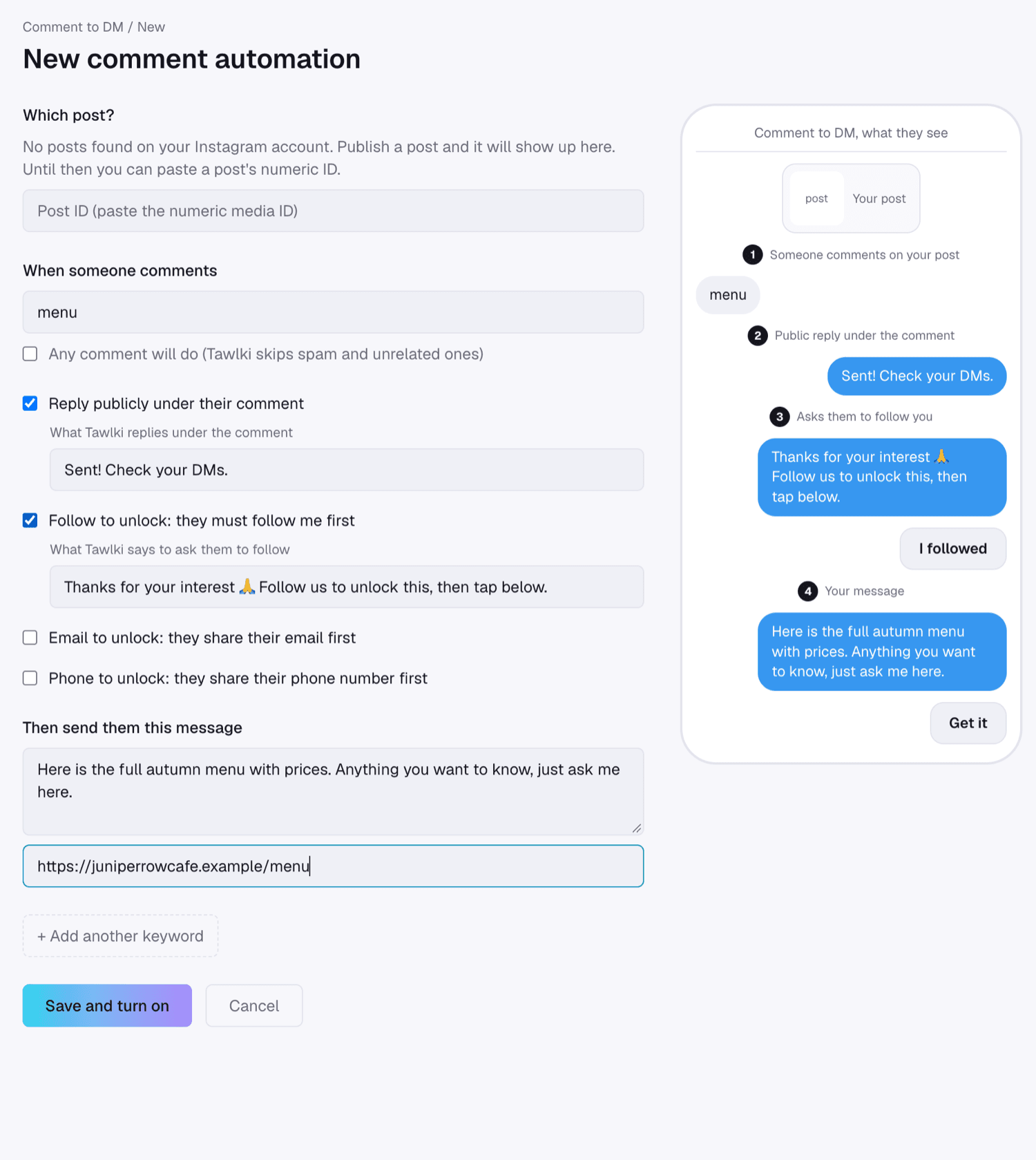
Comments follow a different rule. When someone comments on your post, a business can send one private message in response to that comment. Meta calls it a private reply. It's a single message linked to the comment, and it's currently allowed within 7 days of the comment.
That single message is why comment-to-DM works best when the first DM does the whole job. It should give people the thing they asked for, such as the menu, the price list or the link, and invite them to reply. Once they reply, you're in a normal conversation and the usual 24-hour window applies.
Planning around the window
The window punishes slow replies, so the fix is to reply fast in the first place. Meta's policy also says automated bots must respond to user input within 30 seconds, which tells you where the platform wants this to go.
- Answer the first message inside the window, even if it's only "Got it, we'll confirm this afternoon". A quick reply keeps the customer talking, and every message they send resets the 24 hours.
- Plan for weekends and closing time. A customer who writes Friday at 11pm will still be inside the window at Saturday 10am.
- Use automation for the first reply, so the conversation starts inside the window even when you're busy.
- Keep the conversations that need you for yourself, and take them over by hand.
- Make the first message to a commenter useful and complete, because you only get one.
How Tawlki fits
Tawlki answers inside the window, hands a chat to you when a customer asks for a person, and steps aside as soon as you reply. For comments, it sends the one private message that gives people what they asked for.
Common questions
What is the Instagram 24-hour messaging window?
A business can send a regular message to someone for 24 hours after that person's last message to the business. Each new message from the customer starts a fresh 24 hours.
Can I message customers after 24 hours?
Generally not, until they message you again. A human agent can reply within 7 days in specific cases.
Can a bot use the human agent tag?
It isn't meant to. The tag is for a person replying by hand, and Meta warns that using tags outside their approved use cases may restrict your ability to send messages.
How many messages can I send to someone who commented?
One private message per comment, within the period Meta allows, which is currently 7 days.
Does a Click-to-Direct ad change the window?
Meta says the window for conversations started from a Click-to-Direct ad may last up to 7 days from the customer's message.