
How to set up an auto reply on Instagram for your business
You can auto reply on Instagram in three ways: Instagram's frequently asked questions, the instant reply and away message in Meta Business Suite, or an assistant that reads each question and answers it. The first two are free and take ten minutes. The third takes longer to set up and does a lot more. Here's what each one involves, so you can pick the one that matches how many different questions your customers ask.
Updated
Step 1: Switch to a professional account
Instagram's business tools, including automated replies, are for professional accounts. That means a Business or Creator account. You can switch back to a personal account later if you change your mind.
Open your profile settings, choose to switch to a professional account, pick Business or Creator and follow the prompts. If you run a shop, a salon, a cafe or anything customers contact, pick Business.
Option 1: Frequently asked questions in chats
Instagram lets you add up to four frequently asked questions to your chats. Customers see them as tappable options, and each one can send an automated answer.
In the app, open the menu from your profile, go to Tools, and tap Frequently asked questions. Turn on Show questions, tap Add question, then type the question and, if you want, the automated response. Instagram moves menus around between updates, so if your screen looks different, search the Instagram Help Center for "frequently asked questions".
If you haven't set any up, Instagram shows four suggested questions in a chat that has gone quiet, to help people restart the conversation. You can turn that off in the same place.
- Best for: the four questions every customer asks, like hours, location, prices and how to order.
- Falls short when: someone asks anything that isn't one of your four.
Option 2: Instant reply and away message
Meta Business Suite has an Inbox with automated responses. An instant reply goes out when someone messages you for the first time. An away message goes out when you're unavailable. You can edit or turn either off whenever you like.
Meta's help page has the current click path, and it's linked at the bottom of this guide. Write the instant reply as a greeting that sets expectations ("Hi! We usually reply within an hour"), and the away message as a time ("Back at 9am tomorrow"). Don't promise anything you can't keep.
- Best for: a welcome line and an after-hours notice.
- Falls short when: the customer asked a real question, because the reply is the same for everyone.
Where the free options run out
Picture a customer who writes: "Do you have the blue one in a medium, and can I pick it up Saturday afternoon?" The built-in replies can't touch that. It's a stock question, a pickup question and a hours question in one sentence, and you never wrote a reply for it. So it waits in your inbox until you're free, and some customers don't wait.
If that sounds like your inbox, you want Option 3.
Option 3: An assistant that answers every question
An assistant such as Tawlki answers each question from your own information: prices, opening hours, policies and the things you sell. It can send product pictures, book appointments, collect emails and phone numbers, and reply by DM to people who comment a keyword on your post.
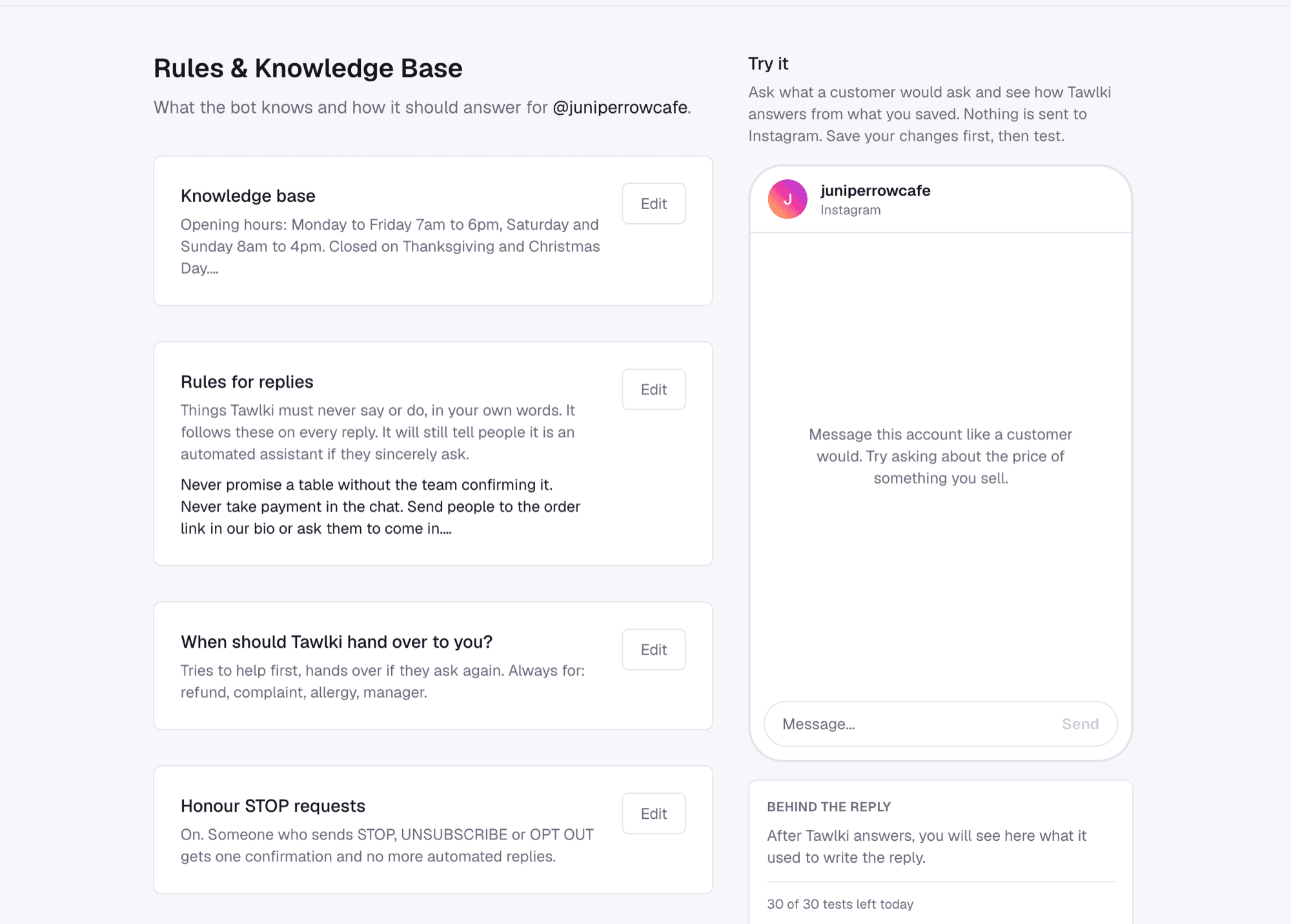
Setting it up looks like this. You connect your Instagram account through Instagram's own login. You write your rules and facts in plain text on one page, add what you sell with prices and photos, and then test it in a preview window that never sends anything to Instagram. When the answers sound like you, you switch it on.
- Free to start: 300 chat replies and 300 comment DMs a month.
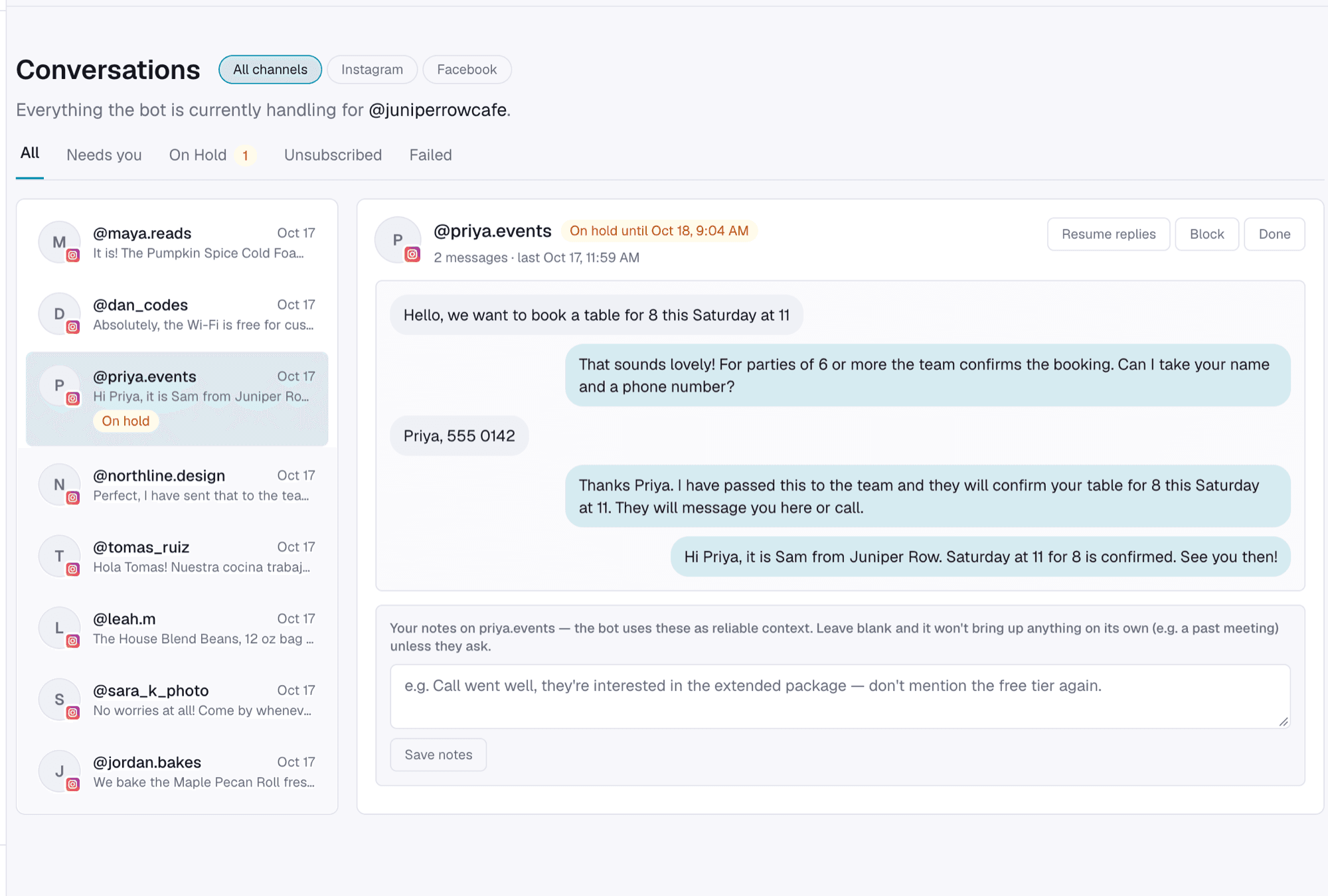
- You stay in control. When you reply yourself, the assistant steps aside for that chat.
- Things you never want it to say go in the rules, in your own words, like "never promise a table without the team confirming it".
Your first week with an assistant
Don't switch it on and walk away. Open your last 20 customer DMs, type those questions into the preview, and see what comes back. Wherever the answer is wrong or missing, fix the facts you saved.
After you go live, read the first few conversations. This is the most useful ten minutes you'll spend on it, because real customers ask things you didn't think of. Add each new answer once and it's covered from then on.
Which one should you pick?
If you get four questions on repeat and little else, use Instagram's frequently asked questions and add an away message. You're done in ten minutes.
If customers ask different things, book appointments, order products or leave comments asking for details, use an assistant. The setup takes longer than ten minutes.
You can also use both. The frequently asked questions give people quick buttons, and the assistant handles everything else.
Rules to know before you automate
- Automated replies go to people who messaged you or commented on your content.
- Instagram's standard messaging window is 24 hours from the customer's last message. Our guide to the 24-hour window covers what happens after that.
- Use tools that connect through Instagram's own login. If a tool asks for your Instagram password, close the tab.
- Meta's policy says that where the law requires it, automated chats must tell people they're talking to an automated service.
Common questions
How do I set up an auto reply on Instagram?
Switch to a professional account, then use frequently asked questions in chats or the instant reply and away message in Meta Business Suite. For answers that depend on the question, use an assistant like Tawlki.
Is there a free auto reply for Instagram?
Yes. Instagram's built-in replies are free, and Tawlki is free to start with 300 chat replies and 300 comment DMs a month.
Can I auto reply on a personal Instagram account?
Instagram's automated replies are for professional accounts, which are Business or Creator accounts.
How many frequently asked questions can I add?
Up to four. Each can have an automated response.
Can I auto reply to comments?
Yes. With Tawlki, you ask people to comment a word on your post and each person who does gets a DM with what they asked for.