
Is Instagram DM automation safe? What gets accounts restricted and what doesn't
Short answer: yes, when the tool connects through Instagram's official login and only messages people who already contacted you. Accounts get into trouble when a tool logs in with your password, blasts strangers or fakes engagement. No one can promise you zero risk, so this guide gives you the actual rules and a checklist to test any tool against, ours included.
Updated
What Meta's own rules say
Meta publishes the rules for businesses messaging people on Instagram and Messenger. The parts that matter for automation are short.
- The messaging window is 24 hours for most user actions. Outside it, only approved options apply.
- A business can send one private reply to a comment, within 7 days of the comment.
- People can block or mute a conversation with a business at any time.
- Where the law requires it, automated chats must disclose that the person is talking to an automated service. Meta recommends doing it even where it isn't required.
- Using message tags outside their approved use cases may restrict your ability to send messages.
Read that list again and you'll notice it describes replying to people who got in touch first. That's the model all of this is built on.
What is allowed
- Automated replies to people who message your business.
- A private message to someone who commented on your post, when it goes through Instagram's official connection.
- Answering from your own information and handing the chat to a human when needed.
What gets accounts restricted
Meta doesn't publish a neat list of bans, so this is our read of what causes trouble. Treat it as judgment, not Meta's official list.
- Tools that ask for your Instagram password and act as you. That's logging in as you from somewhere Instagram doesn't expect.
- Messaging people who never contacted you, in bulk.
- Fake engagement: automated follows, likes or comments.
- Ignoring opt-outs when someone asks you to stop.
Official connection versus your password
The easiest test takes ten seconds. A tool with an official connection sends you to Instagram's own login screen, where you approve what it can do. You never type your Instagram password into the tool. If a tool shows its own form asking for your username and password, it's logging in as you, and that's the pattern that puts accounts at risk.
There's a second benefit. With an official connection you can revoke access from Instagram's side at any time, without the tool's help.
A checklist before you choose a tool
- It connects through Instagram's own login, not your password.
- It only replies to people who messaged or commented first.
- It respects the 24-hour messaging window.
- It lets you step in, and it stops when you reply.
- It lets you block people and honours STOP requests.
- It tells you plainly what it can and can't do.
How Tawlki approaches it
Tawlki connects through Instagram's official login and never sees your password. It only replies to people who messaged you or commented on your content, it stays inside Instagram's messaging window, and it goes quiet when you reply. People on your blocklist never receive a message, and anyone who asks to stop is left alone.
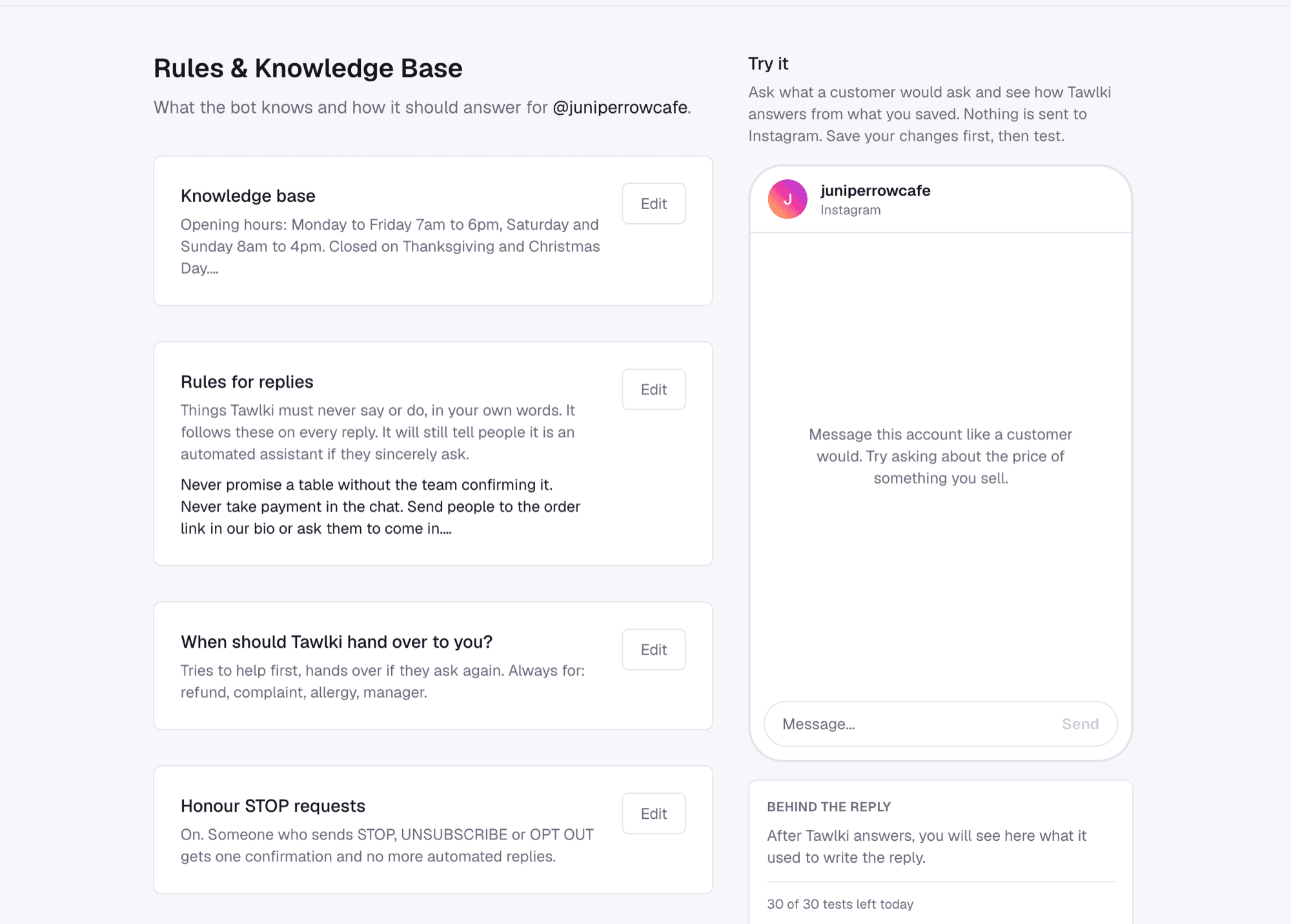
You also write the rules. The page below is where you tell it what it must never say or do, in your own words, and where STOP requests are switched on.
Staying in control of the conversation
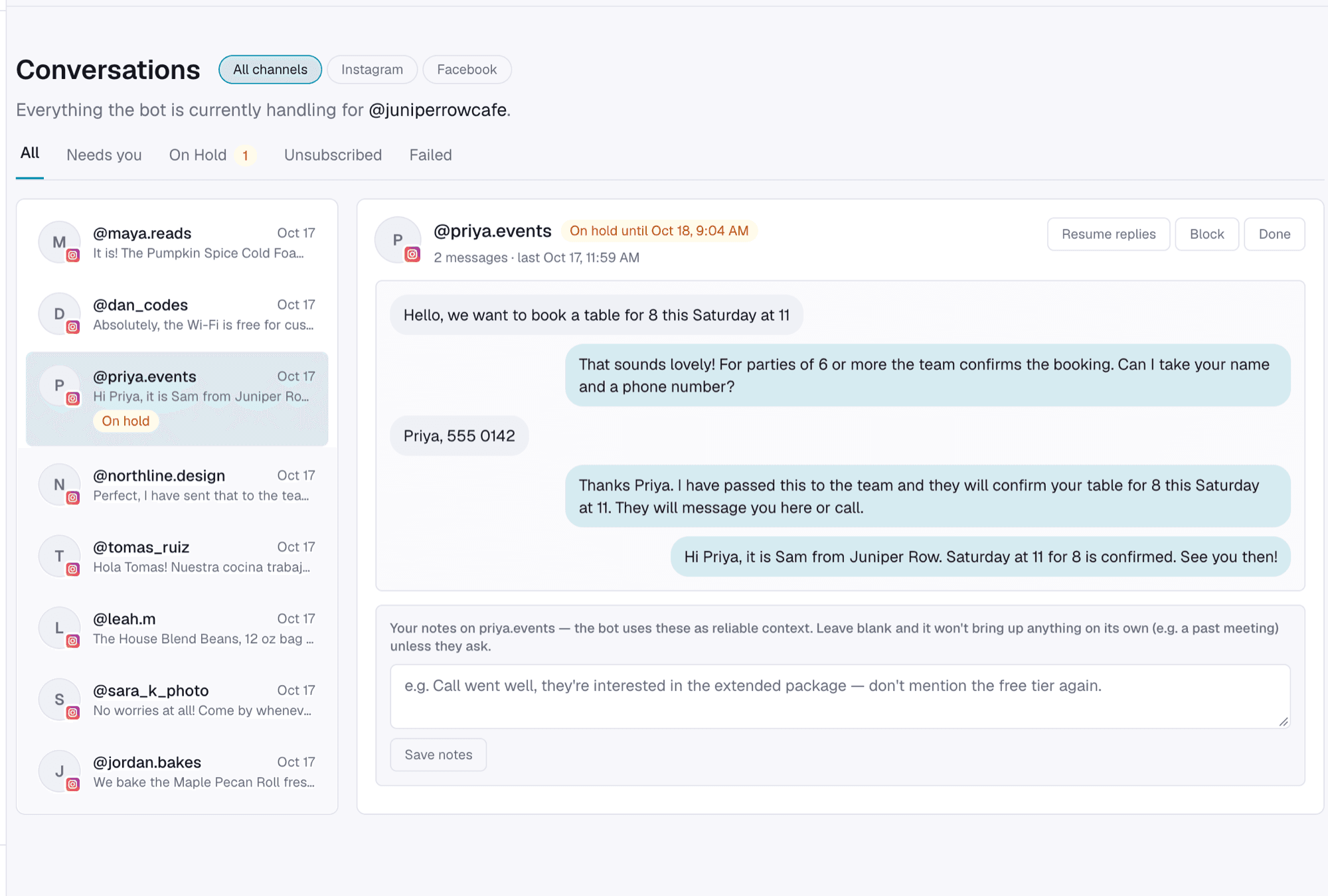
Safe also means you can step in. When you reply to a customer yourself, the chat goes on hold so the assistant doesn't talk over you, and you hand it back with one click. You can block anyone from the same screen.
Keeping certain people out
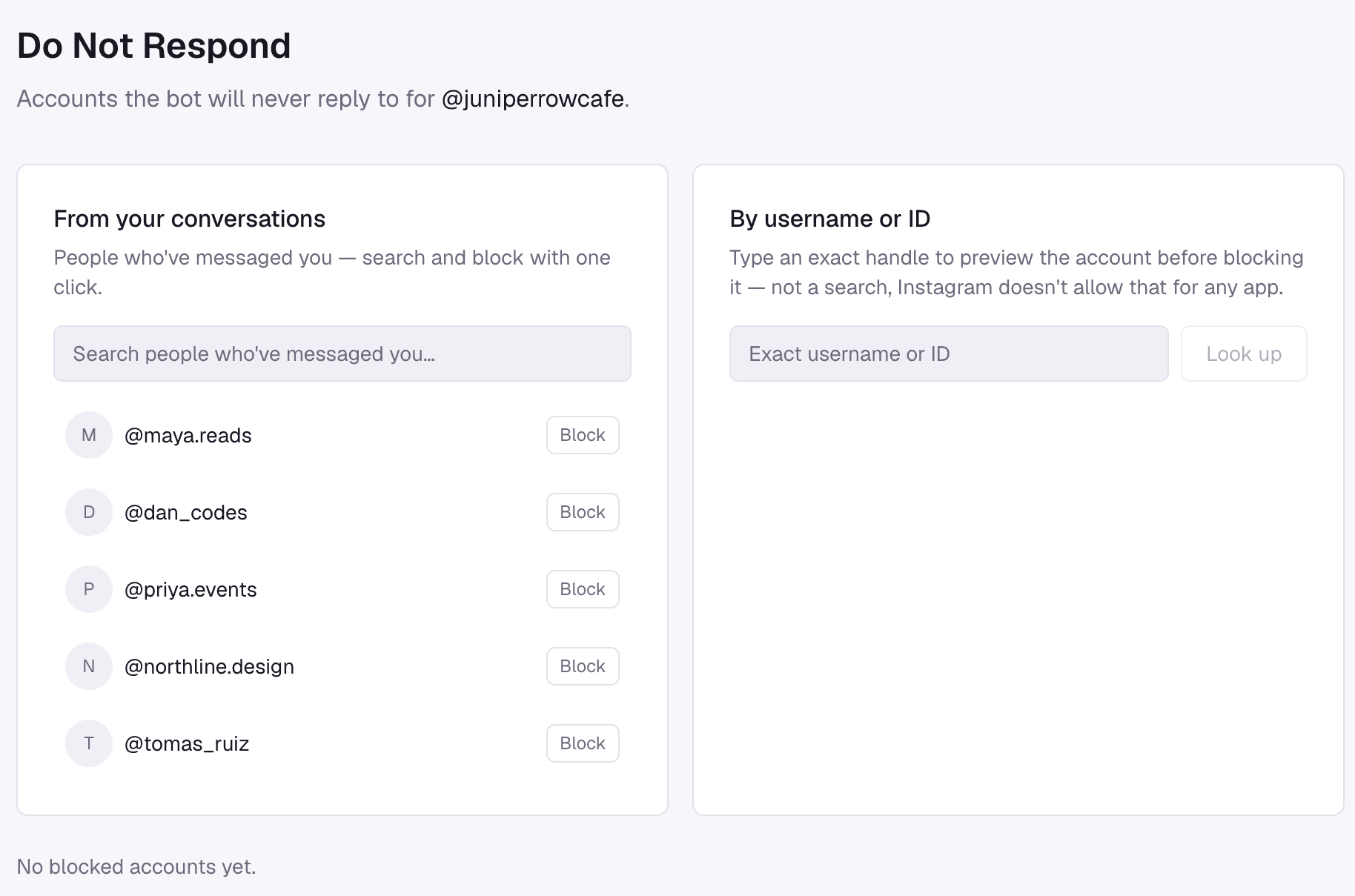
Sometimes you don't want a particular account to get any reply, whether that's a competitor, a customer you've had trouble with or someone who keeps testing the bot. Everyone who has messaged you appears in a list with a Block button, and you can also look up an exact username. Blocked accounts never get a reply from Tawlki.
Good habits for any account
- Be clear about what people get when they comment a word or share their details.
- Keep your first message useful so people don't mark it as spam.
- Check your automations after you change an offer, so a reply never promises something that has ended.
- If someone sincerely asks whether they're talking to a person, tell them.
Common questions
Is Instagram DM automation allowed?
Yes, when it runs through Instagram's official connection and only messages people who contacted you.
Can automation get my Instagram account banned?
Accounts are restricted for spam-like behaviour, such as unsolicited bulk messages, fake engagement or tools that log in with your password. Official, user-initiated automation is a different thing, though no tool can promise zero risk.
Should I give a tool my Instagram password?
No. A safe tool sends you to Instagram's own login screen, so it never sees your password.
Does Tawlki see my Instagram password?
No. You connect through Instagram's own login.
Do I have to tell people it's a bot?
Meta's policy says that where the law requires it, automated chats must disclose that the person is interacting with an automated service, and it recommends doing so as a best practice. Tell anyone who sincerely asks.