
Instagram away message examples you can copy and paste
Someone DMs you at 11pm and gets your away message. They give it about two seconds before deciding whether to wait for you or ask someone else. Below are 17 away messages you can copy, sorted by the situation you're in, and the mistakes that make most of them useless.
Updated
What an away message has to do
Two things. Say when you're back, as an actual time. And give the customer something to do right now.
Here's the same message written twice. Someone DMs a bakery at 9:30pm asking about a cake for Saturday.
The usual version
Thanks for your message. We are currently away and will respond as soon as possible.
The useful version
Hi! We're closed for the night and back at 8am. Saturday cake orders are open until Thursday noon, so send us the flavor and size and we'll confirm first thing.
The first one tells the customer nothing they didn't already know. The second one tells them cake orders are still open, and that's the fact that keeps them from messaging the bakery down the road.
After-hours messages
Name the time you open. If there's something the customer can still do tonight, say what it is.
Simple
Hi! We're closed right now and open again at [time]. We'll reply as soon as we're back.
With a next step
Thanks for messaging [Business]. We're closed until [time]. Send us what you need and we'll get back to you first thing.
With the hours
Hi, you've reached [Business] outside our opening hours. We're open [days] from [time] to [time], and we'll reply when we open.
Relaxed
We've gone home for the night. Leave your question here and we'll answer it at [time] tomorrow.
Weekend messages
If you don't reply on weekends, say so. A clear Monday beats a vague "soon" every time.
Closed on weekends
Thanks for your message! We're away for the weekend and back on Monday at [time]. We'll reply then.
With an urgent option
We're offline until Monday. If it's urgent, call or text [phone number] and we'll help.
Weekend orders
You can still order at [link] this weekend. We'll pack it first thing Monday.
Holiday and vacation messages
Give both dates, the day you leave and the day you're back. If there's a last day for orders, put that in too.
Holiday closure
We're closed from [date] to [date] and back on [date]. We'll reply to your message then.
Vacation, with a last order date
We're on vacation from [date] to [date]. Orders placed by [date] ship before we leave. Anything after that ships when we're back.
Short break
We're taking a short break and back on [date]. Leave your message and we'll answer when we return.
Seasonal hours
Our hours are different over [holiday]: [dates and times]. We'll reply when we open.
When you're swamped, not away
Say replies are slow and give a real time frame. People wait happily when they know how long.
Busy day
We're very busy right now, so replies are taking longer than usual. We'll get back to you today.
Sale or launch week
Thanks for your message! It's a busy week with [sale or launch]. We're replying in the order messages came in and will reach you within [time].
Examples for four kinds of business
Put the one thing your customers ask about most into the message. For a cafe it's a table. For a shop it's where their order is.
Cafe or restaurant
Hi! We're closed right now and open at [time]. Today's menu is at [link]. Want a table? Tell us the day, time and how many of you.
Salon or clinic
Thanks for messaging [Business]! We're closed until [time]. To book, tell us the service and two times that suit you, and we'll confirm when we open.
Online shop
Hi! Our team is away until [time]. Delivery times and returns are at [link]. If it's about an order, send your order number and we'll check it first thing.
Freelancer or consultant
Thanks for getting in touch! I'm away from my desk until [time]. Tell me a bit about your project and I'll reply with next steps.
Mistakes that make an away message worse than nothing
- Saying "soon" or "shortly" instead of a time. Soon means nothing to someone who's waiting.
- Promising a reply time you can't keep. If you write "within an hour" and answer the next afternoon, the customer remembers the promise, not the answer.
- Leaving old hours in. Set a reminder to check the message before every holiday and the day after, so you remember to turn it off.
- Telling people to call when no one will pick up. Only give a phone number if someone will actually answer it.
The first hour back
Answer the people who got your away message first, oldest first. They waited, and they're the most likely to have given up already.
And skip the long apology. A good reply sounds like this:
Back at your desk
Morning, and thanks for waiting. Yes, we can do Saturday at 2pm. Want me to hold it for you?
How to set up an away message on Instagram
Business and creator accounts can send an away message through Meta Business Suite. Open the Inbox, find its automated responses, and switch on the away message. You can edit the text or turn it off whenever you like.
Meta moves its menus around, so we don't trust our own click path for long. Its help page has the current one, linked at the bottom of this guide.
Where an away message runs out
It sends the same text to everyone. Ask it "Are you open on Sunday?" and it can't tell you. It can only say you're away.
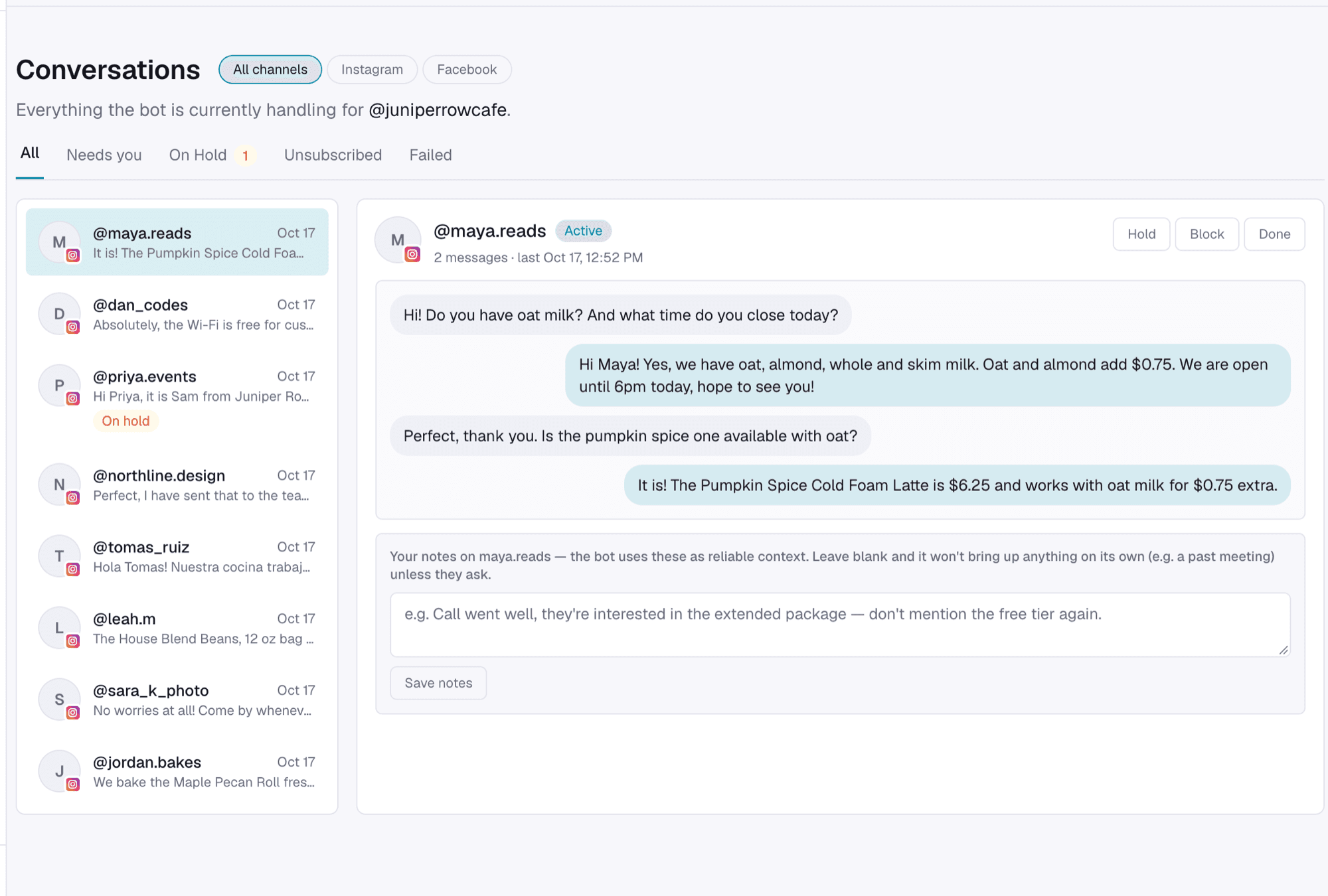
If your customers keep asking the same few things, a good away message is plenty and you should stop here. If every customer asks something different, that's where an assistant like Tawlki earns its place. It answers from your own hours, prices and policies at any hour, books appointments into your Google Calendar, and steps aside when you reply yourself.
Common questions
How do I set up an away message on Instagram?
Use a business or creator account and set it up in Meta Business Suite, under the Inbox's automated responses. Meta's help page has the current steps.
What should an Instagram away message say?
When you're back, as a real time, and one thing the customer can do now. Two or three sentences is plenty.
Can I schedule an away message for nights and weekends?
Meta Business Suite lets you control when the away message is active. Check Meta's help page for the options it offers today.
Is an away message the same as an auto reply?
No. An away message says you're unavailable. An auto reply can answer a question. Our guide to Instagram auto reply message examples covers both.
Can an away message answer a customer's question?
No, it sends the same fixed text to everyone. For answers that depend on the question, you need an assistant such as Tawlki.